The phrase that ruins every eCommerce project: “Just connect it to our ERP.”
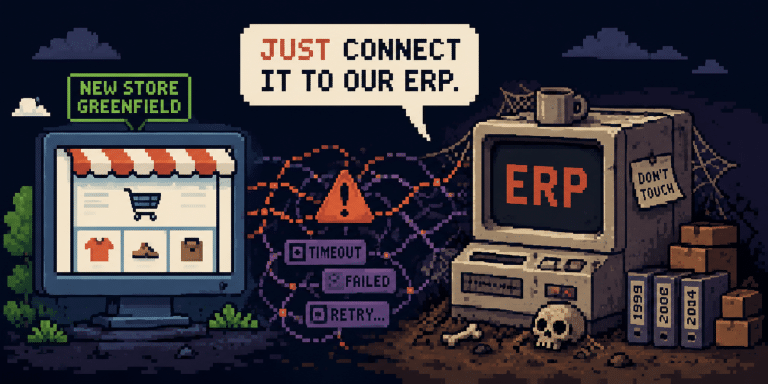
What sounds like a small API task is usually a full integration problem: sequencing, sync vs async, edge cases, and an old system nobody fully trusts.

While testing a Kotlin microservice backed by MS SQL, I found several places where convenience had quietly become a liability.
Fortunately, there was no production incident; most issues were detected during internal testing. It is always better to learn on someone else’s mistakes, this article will help you learn on mine.
The service orchestrates WhatsApp campaign delivery through an asynchronous, scheduler-driven pipeline. Campaign destinations enter the system via an API and are persisted to MS SQL Server. Two background schedulers handle the processing. The first retrieves unscored destinations, invokes a scoring service to evaluate delivery priority, and assigns each destination to a bulk: either appending to an existing one or creating a new bulk when capacity is reached.
The second scheduler manages the delivery lifecycle: it polls the external Bulk Scheduling System for status updates, submits ready bulks for sending, and coordinates priority by pausing lower-scored bulks while higher-priority ones are in flight. MS SQL serves as the central state store, maintaining campaign metadata, bulk assignments, and processing status throughout the pipeline.

When you expect a heavy load, don’t insert data one by one. We learned this when a client started sending their campaign as separate HTTP requests—one message per request, all belonging to the same campaign. Our controller accepted a list of messages, but a single-element list is still a list, right? The service started returning HTTP 500 errors due to waiting too long for an available database connection.
We solved this by introducing Kafka as a buffer between the API and the database. Incoming requests get published to a topic and then consumed in batches, enabling batch inserts into the database. A nice bonus came from how Kafka handles partitioning: by setting the message key properly, we ensured that all requests for the same campaign land in the same partition—and get processed together.
Of course, the implementation should still handle lists properly. One caveat: Hibernate does support batch inserts (feel free to check), but not when you use an IDENTITY primary key generation strategy. With IDENTITY, the database generates the ID on each insert.
To get true batching, we bypassed Hibernate and used plain JDBC.
override fun submitCampaign(campaignRequest: CampaignRequest) {
    val message = campaignRequest.messages[0].message
    val campaignId = campaignRequest.parameters.campaignId ?: "no-campaign-id"
    val topicKey = "${message.channelId}-${message.from}" +
                   "-${campaignRequest.parameters.templateName}-$campaignId"
    val messageBatches = campaignRequest.messages.chunked(maxMessagesPerBatch)

    messageBatches.forEach { batch ->
        val batchRequest = CampaignRequest(
            messages = batch,
            parameters = campaignRequest.parameters
        )
        campaignRequestProducer.send(ProducerRecord(TOPIC_NAME, topicKey, batchRequest))
    }
}

@KafkaListener(
    topics = [TOPIC_NAME],
    containerFactory = KafkaConsumerConfiguration.BATCH_LISTENER_FACTORY_BEAN
)
@Timed
fun processRequests(
    records: List<ConsumerRecord<String, CampaignRequest>>,
    ack: Acknowledgment
) {
    val groupedByCampaign = records.groupBy { it.key() }

    for ((_, recordsGroup) in groupedByCampaign) {
        val campaign = findOrCreateCampaign(...)
        val destinations = recordsGroup.flatMap { it.value().messages }.mapToDestinations(campaign)
        storeCampaignDestinations(destinations)
    }

    ack.acknowledge()
}

@Transactional
override fun batchInsert(destinations: List<CampaignDestination>) {
    if (destinations.isEmpty()) return

    val sql = """
        INSERT INTO cds.campaign_destination
            (campaign_id, destination, external_message_id, content, failover)
        VALUES
            (?, ?, ?, ?, ?)
    """.trimIndent()

    jdbcTemplate.batchUpdate(sql, destinations, destinations.size) { ps, dest ->
        ps.setLong(1, dest.campaign.id)
        ps.setString(2, dest.destination)
        ps.setString(3, dest.externalMessageId)
        ps.setString(4, dest.content)
        ps.setString(5, dest.failover)
    }
}
Now Kafka took the big chunk of stress, the database can easily handle the load.


A query that’s too complex can take too long to execute, especially without proper indexes. Think about what data you already have in the application and use it to simplify things. In our case, we needed to find bulks that still had space for more recipients. The original query joined the destinations table to count how many each bulk contained, filtered by several conditions, and used a HAVING clause to check capacity.
@Query("""
    SELECT cb, COUNT(cd) FROM CampaignBulk cb
    LEFT JOIN CampaignDestination cd ON cd.campaignBulk = cb
    WHERE cb.campaign = :campaign AND cb.priority IN (:priorities) AND cb.waitUntil > :nowWithBuffer AND cb.bulkStatus = 'CREATED'
    GROUP BY cb
    HAVING COUNT(cd) < :maxBulkSize
""")
fun findNotFullAndNotExpiredBulks(campaign: Campaign, priorities: Set<BulkPriority>, maxBulkSize: Int, nowWithBuffer: Instant): List<BulkWithCount>
The problem? A join on an unindexed column, filters without indexes, a COUNT, and a HAVING clause. Combined, it was too much for the database. The query took ages and locks escalated to entire tables. It quickly turned out that we already knew the destination count during processing. So we denormalized: we added a destinationCount column to the CampaignBulk table and updated it whenever destinations were added. The new query and supporting index look like this:
@Query("""
    SELECT cb FROM CampaignBulk cb
    WHERE cb.campaign = :campaign
      AND cb.priority IN (:priorities)
      AND cb.waitUntil > :nowWithBuffer
      AND cb.bulkStatus = 'CREATED'
      AND cb.destinationCount < :maxBulkSize
""")
fun findNotFullAndNotExpiredBulks(
    campaign: Campaign,
    priorities: Set<BulkPriority>,
    maxBulkSize: Int,
    nowWithBuffer: Instant
): List<CampaignBulk>
CREATE NONCLUSTERED INDEX idx_campaign_bulk_count_filter
ON cds.campaign_bulk(campaign_id, bulk_status, destination_count)
INCLUDE (id, priority, wait_until, bss_bulk_id, api_key_id, creation_date, last_status_change_date);
After these changes, the query performs well.

We all want to process data as fast as possible. Especially in the world of virtual threads; you can spin up thousands of them and feel good about how concurrent your application is. But the database doesn’t share that enthusiasm. Under the hood, you have a limited Hikari connection pool. Run too many concurrent operations and your queries start timing out. Worse, when multiple threads hit the same table and the same dataset, you’re heading straight for lock contention.
Here are a few things to consider when you need to control concurrency.
ShedLock is a library that ensures scheduled tasks run only once across multiple application instances. It works by creating a lock record in a shared storage—typically a database table—before executing a task. When a scheduler triggers, it tries to acquire the lock by inserting or updating a row. If another instance already holds the lock, the task is skipped.
The lock is released after execution or after a configured timeout, preventing deadlocks if an instance crashes mid-task. In our case, we wanted to avoid the same campaign being processed by a couple of instances at the same time.
Shedlock helps a lot here. Feel free to check the full ShedLock documentation.
val config = LockConfiguration(
    Instant.now(),
    LOCK_NAME_FOR_PROCESS_CAMPAIGNS + campaign.id,
    Duration.ofMinutes(5),
    Duration.ZERO
)

val lock = lockProvider.lock(config)

if (lock.isPresent) {
    try {
        singleCampaignService.processSingleCampaign(campaign)
    } finally {
        lock.get().unlock()
    }
}
Limit your concurrency with a semaphore
A Semaphore lets you limit how many threads can execute a block of code at the same time. In our case, each scheduler iteration could potentially process dozens of campaigns in parallel; especially with virtual threads, where spawning new threads is cheap. But each campaign processing involves multiple database operations: reads, updates, and inserts. Letting all of them run at once would exhaust the connection pool and trigger lock contention.
We introduced a Semaphore with a fixed number of permits to cap the number of campaigns processed concurrently. Before processing a campaign, a thread must acquire a permit. If all permits are taken, the thread waits, but with virtual threads, this isn’t a problem.
When a virtual thread blocks, it gets unmounted from its carrier thread, freeing it to run other virtual threads. So waiting for a permit doesn’t waste OS resources like it would with traditional platform threads. Once processing is done, the permit is released.
This keeps database load predictable and prevents the connection pool from becoming a bottleneck.
private val semaphore = Semaphore(10)
private val executor = Executors.newVirtualThreadPerTaskExecutor()

fun processCampaigns() {
    val campaigns = campaignRepository.findAllToProcess()

    campaigns.forEach { campaign ->
        executor.submit {
            semaphore.acquire()
            try {
                processSingleCampaign(campaign)
            } finally {
                semaphore.release()
            }
        }
    }
}
Use query hints
When multiple threads query the same table, the database decides how to handle locking. Sometimes those defaults work against you in different ways. Locks escalate, threads wait on each other, or worse, deadlocks occur. SQL Server lets you guide this behavior with query hints. Here are the ones we found useful:
UPDLOCK – reserves update locks on selected rows, so other threads can’t select the same rows for processing.READPAST – skips rows that are already locked by other threads instead of waiting for them to be released.ROWLOCK – suggests that SQL Server use fine-grained row-level locks instead of page or table locks.NOLOCK – reads rows without acquiring shared locks, allowing it to read data that other transactions are currently modifying. This means it won’t block writers and won’t be blocked by them but it can return dirty data that might be rolled back, or even read the same row twice or skip rows entirely if data is being moved during the scan.Think about your access patterns. Are multiple threads competing for the same rows? Are you okay with skipping locked data or reading uncommitted changes? The right combination of hints depends on your specific use case but knowing they exist can save you from mysterious slowdowns and deadlocks.
Process data in batches
Even with ROWLOCK hints, SQL Server can escalate locks. When a single transaction acquires too many row locks on one table, SQL Server may convert them into a table lock for efficiency. This is called lock escalation, and when it happens, your “harmless” operation suddenly blocks everyone else.
We learned this the hard way. Our scoring scheduler fetched all unscored destinations for a campaign in a single query, which sometimes includes tens of thousands of rows. With UPDLOCK to prevent other threads from picking them up, SQL Server decided it was cheaper to lock the entire table. Suddenly, other threads couldn’t read or write to the destinations table at all. The whole pipeline stalled, waiting for one greedy query to finish.
The fix was simple: fetch in batches. Instead of selecting all unscored destinations, we now use TOP(n) and iterate until there’s nothing left to process.
SELECT TOP(400) cd.*
FROM cds.campaign_destination cd WITH (UPDLOCK, READPAST, ROWLOCK)
WHERE cd.campaign_id = :campaignId
  AND cd.bulk_id IS NULL
  AND cd.id <= :maxId
Each batch locks only a few hundred rows, commits, and moves on. This keeps the lock count well below the escalation threshold and lets other threads continue their work.
For more details on lock escalation, see Microsoft’s Troubleshooting explanation.
The database is not an implementation detail you can ignore. I hope these lessons save you some debugging time.
Have you faced similar challenges? I’m curious how others handle these problems.