Chris Davidson, Atlassian: “Ask AI to challenge you”
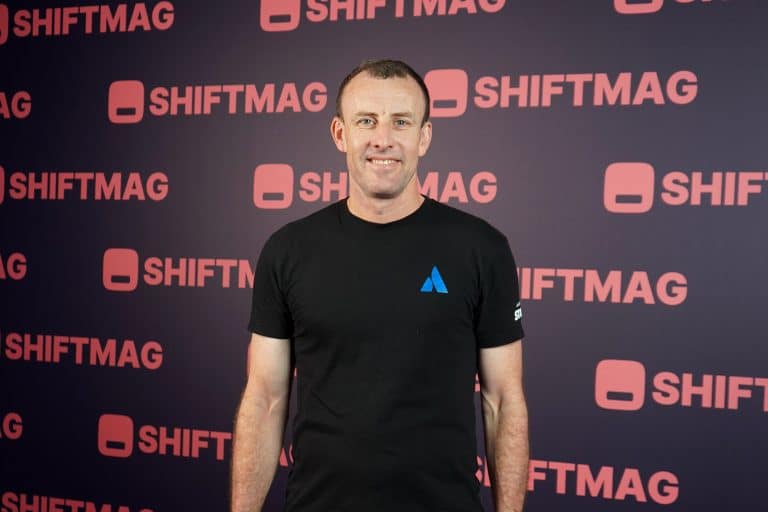
As a Solutions Engineer at Atlassian, Chris Davidson works with clients in an effort to make the most of Atlassian's tools and has first-hand experience of how we adapt to using AI.

For that reason, the safer pattern, which is minimal permissions and human approval required, is becoming the default. This means agents are increasingly making decisions that require a human response before anything happens next.
The question is how that response gets requested.
The agent ran. It checked the queue, detected the anomaly, made the call. Then it produced a tidy summary (decision, rationale, confidence score) and delivered it to the person who was watching.
That’s the happy path. The fact of the matter is that most runs aren’t that clean.
Each of the cases listed below is a version of the same failure: the agent did its job, but the result didn’t reach the right person:
The agent’s output is readable, but it’s trapped in the interface that produced it: visible to whoever happened to be present, invisible to everyone else.
Connecting the agent to a messaging channel doesn’t solve the problem entirely, but it does extend the reach of its output beyond the interface it ran in.
The practical question is how to do it properly. Most messaging MCP servers are built for full-featured channel integrations: scheduling, logs, template management, bulk sending. That’s useful if you need it. But for an agent that just needs to notify someone or request a human decision, you’re loading a lot of tools into the model’s context that have nothing to do with the task.
Every tool you expose to an LLM costs more than the API rate card suggests. The tool’s schema, name, description, parameters, gets injected into the model’s context on every invocation. A server with 27 tools loads 27 definitions into every request. The model them has to reason over all of them.
That’s not always a problem. If your agent needs scheduling, delivery logs, carrier-level capability checks, or template management, a full-featured channel server earns its footprint, and it’s typically the most common go-to use case for messaging MCP servers.
But if the agent just needs to notify someone, you’re paying a context tax on 26 tools you didn’t ask for.
This is the argument behind deliberately minimal MCP servers: for simple use cases, smaller is also more accurate, not just cheaper.
When Infobip talked to developers using its MCP ecosystem, a pattern emerged: some of them weren’t reaching for the full feature set. They had a pipeline, an agent, and a need to notify someone (sometimes to attach a screenshot while at it).
The Infobip Message MCP server is a direct response to that feedback: one or two tools covering SMS, RCS, and Viber, with support for images where the channel allows for it.
There’s something worth noting in that design choice. The broader Infobip MCP ecosystem includes channel-specific servers with rich feature sets: the RCS server has 27 tools, WhatsApp has 18. The Message server sits deliberately at the opposite end and caters to use cases that only require low footprint.
It’s not a replacement for the channel-specific servers, but a different tool for a different job. The agent can then send a notification across three different channels from a single tool call.
Out of this integration comes an interesting trade-off to consider: how does the minimal-footprint pattern hold up as agents get more capable?
Agents take on more complex workflows. The instinct is to give them more tools, more context, more capability, and more surface area. But since the relationship between tool count and agent performance is not linear, past a certain point, more tools will always mean more ambiguity about what to call, more opportunity for hallucinated parameters, more tokens spent on reasoning over options rather than executing.
For narrow, high-frequency actions (notifications and alerts being the clearest example), there’s a real case for purpose-built tools that do one thing and declare that scope clearly. Not every agent capability needs the full API surface.
Whether that principle scales to more complex tasks, and whether the industry converges on a layered tool architecture rather than a flat one, is still an open question.
But for now, for the specific problem of “my agent needs to reach a human,” starting minimal and adding surface area only when the use case demands it seems like a more defensible approach.